PhoneBackup: back up a phone to a PC, and pick up where it stopped.
Backs up an Android phone to a PC over adb from a desktop app: live speed and time left, pause and resume (even after a dropped cable), a check of every copied file, and one-click retry for the ones that failed. Windows, macOS and Linux.
From GitHub Releases: Archives for Windows, macOS (Intel and Apple silicon) and Linux, plus an Android app that sends photos to the PC over Wi-Fi. Not on Google Play.
Screens
What it does
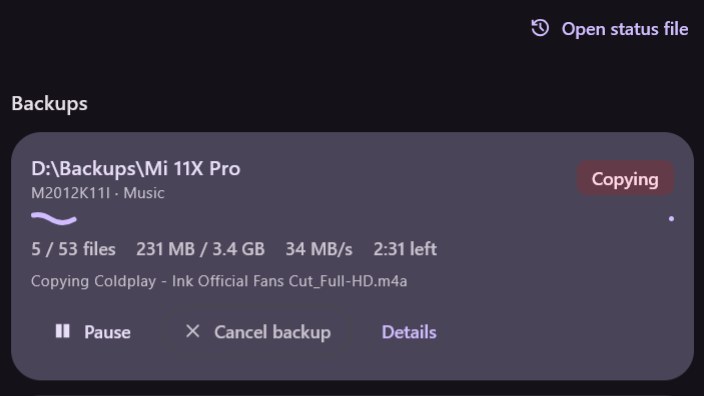
Live progress
Real-time speed chart, files done and time left.
Pause and resume
Carries on from a saved status file, even after the cable drops.
Checks every file
Verifies each copied file and lists the ones that failed, with Retry failed.
USB or Wi-Fi
Pick the phone, its folders and the PC folder in the Backup tab.
Quiet on Windows
The Go engine runs in the background with no flashing console windows; the app stays in the tray.
Photos from the phone
The Android app sends photos to the PC over Wi-Fi through a token-protected upload API.
Try PhoneBackup
Free and open source. Install it from the latest release, or read and build the code.