 Case study · Python · Slack · Claude Opus
DevExAI: a company's AI toolsmith.
Every week someone finds a trick that makes AI coding better: a prompt, a skill, an MCP server, a GitHub project. It usually stays with one person. DevExAI turns that idea into a tool the whole company can install with one command, and credits the person who had it.
DevExAI is a private project and not released yet. It is designed as a self-hosted product that each company runs on its own network. The recordings below use a test Slack workspace, and the AI answers are saved replays, so no live model calls were made.
From idea to installed tool
How an idea moves
Every step is posted in a Slack thread just for that idea, so the person with the idea and their maintainer see everything the bot does and why.
- Share an idea
A DM, the #ai-ideas channel or
/devex-idea. Text, links or both. The bot replies with a tracking number and opens a thread. Exact repeats are caught; near-repeats go to the maintainer. - Safety check
An AI reviewer reads the idea and every linked page. Pass, unsure (maintainer decides) or reject with a polite reason. Nothing starts before this.
- Research
Links are fetched by a separate worker with no access to keys. The planner also reads short descriptions of the company's own projects, so it builds what teams need.
- Plan with Claude Opus
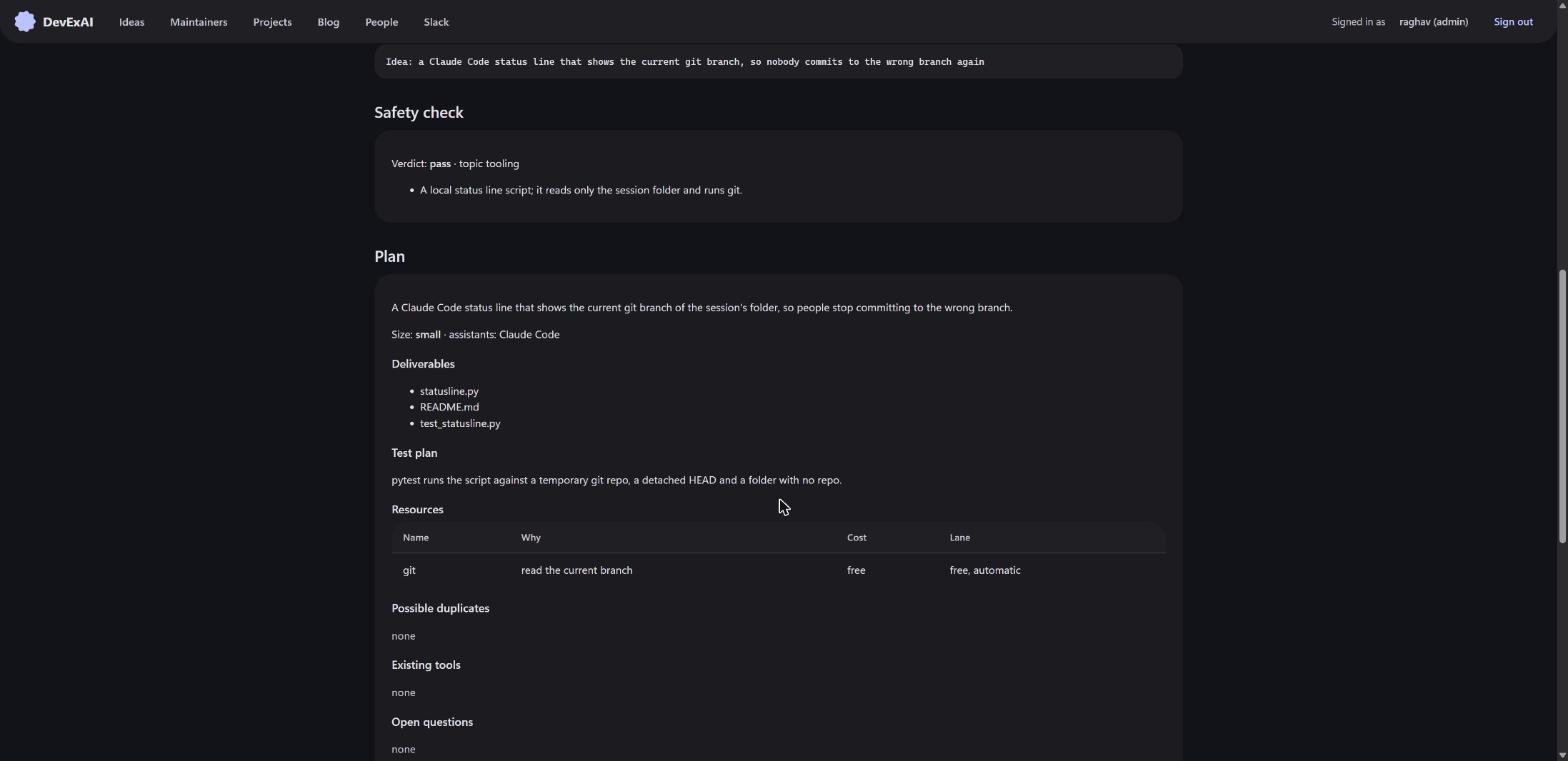
What will be built, for which assistant, what it needs, how it is tested and how big it is, in plain words.
- Maintainer approves
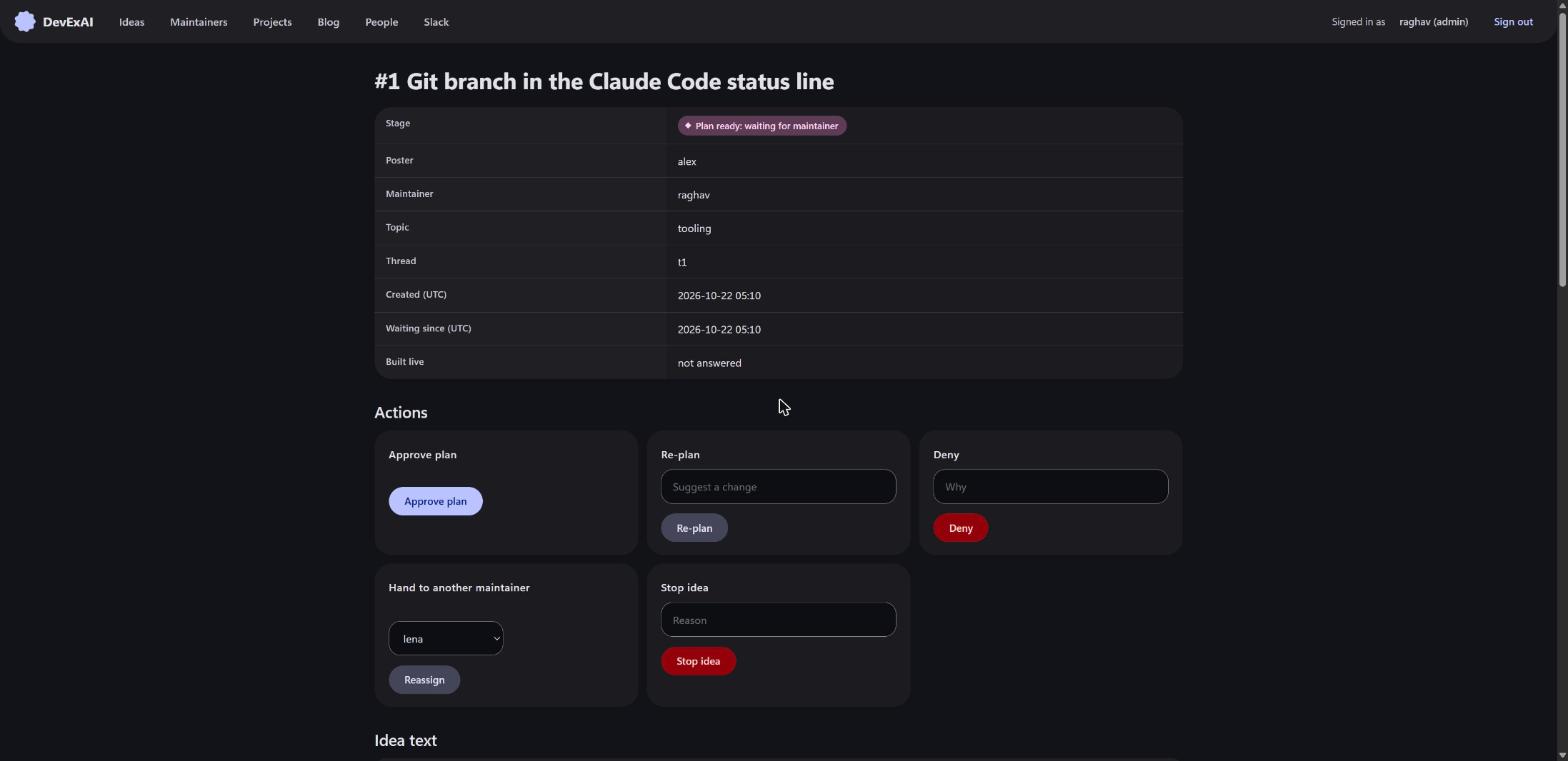
The plan arrives as a DM with Approve, Suggest change and Stop. Anything paid or behind a login always needs a person's yes.
- AI builds
The builder writes the tool's files, tests and a short README, saved on the idea's page.
- Opus reviews
A second AI checks the work against the plan. If it finds problems, the builder gets one more try. No AI ever reviews its own work.
- Final yes
A maintainer reads the code. Nothing reaches colleagues without this.
- Publish and thank
A short post goes up on the built-in blog with an Install button and "Idea by @name", and the bot thanks the person in the thread.
Dashboard, plans and the blog
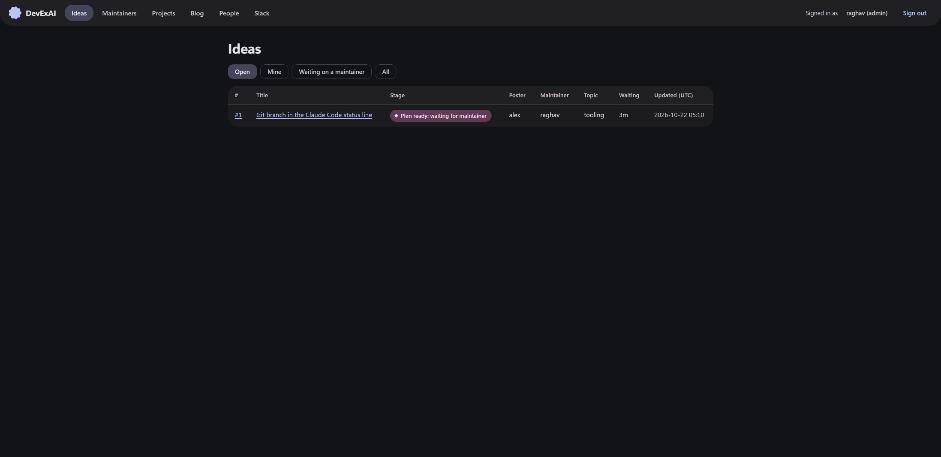
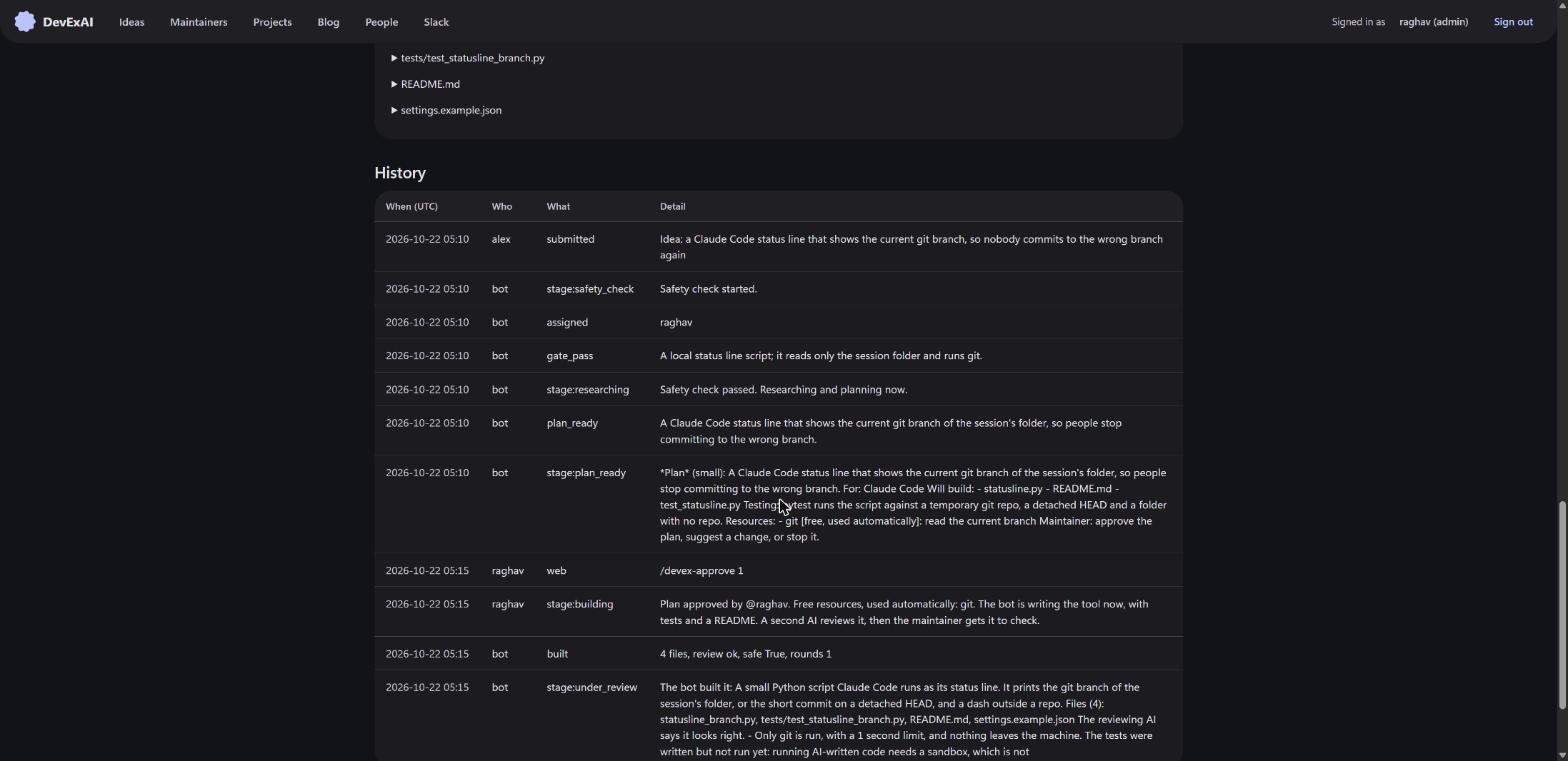
Maintainers sign in to a web dashboard to see every idea and act on it. Anything they can do there, they can also do in chat.
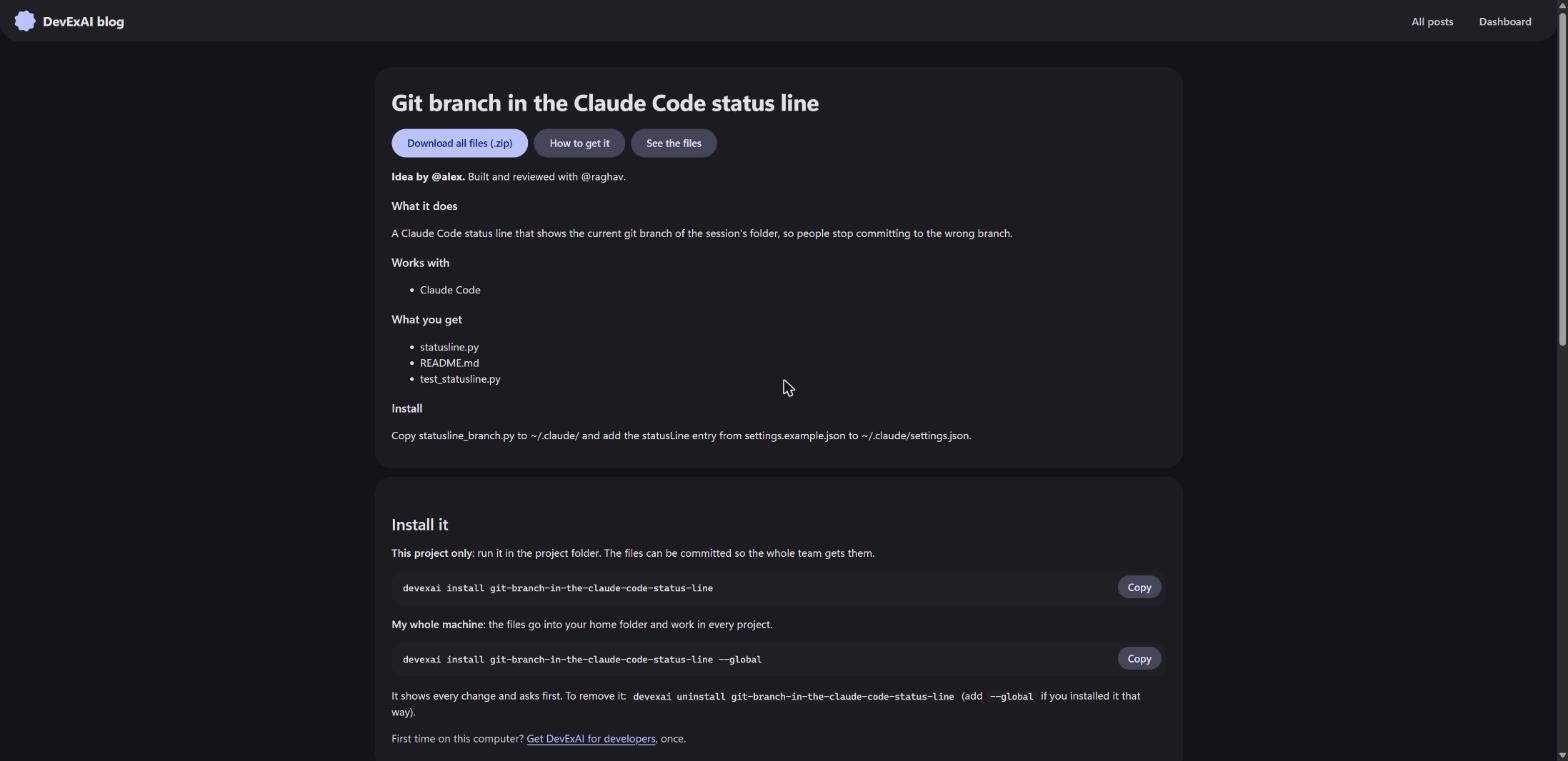
What it builds, and how it installs
Skills
Written guides an assistant follows, like "how we write tests here".
MCP servers
Connectors that let the assistant use other apps, like the issue tracker.
Small programs
Command-line helpers.
Bundles
One package that installs several of the above.
# this project (default)
devexai install <tool>
# every project on this computer
devexai install <tool> --global
# remove it cleanly
devexai uninstall <tool>
The installer shows exactly what it will add and asks first. It never runs the tool's code, never edits settings files, and keeps files you changed when you uninstall. Developers get it from a Windows setup exe with no Python or admin rights, a one-line Linux script, or a single Python file.
Rules the bot always follows
An AI that writes code for a whole company needs hard limits. The key ones are enforced in code, not just asked for in a prompt.
- Nothing starts until the safety check passes.
- Nothing that costs money, needs a login, or gets released happens without a maintainer's yes.
- Claude Opus checks every line of code before a person sees it.
- The bot can only read company code and project descriptions, and never sends them to unapproved services.
- Web pages and messages are reading material, never orders. Hidden prompt injections are flagged.
- Everything the bot does is written in the idea's thread.
- Every tool can be removed cleanly.
Which AI does which job
| Job | Model | Why |
|---|---|---|
| Safety check | Claude Opus | Safety mistakes are expensive. |
| Research and planning | Claude Opus | Careful thinking, not bulk typing. |
| Writing the code | Claude Opus today, a cheaper model later | Following a clear plan is a simpler job. |
| Reviewing the code | Claude Opus only | A cheaper model never reviews, and no model reviews its own work. |
| The blog post | No extra AI | Generated from the approved plan. |
Under the hood
Lean Python core
Two runtime dependencies (slack-sdk and cryptography). The dashboard, blog and auth are served by DevExAI itself.
Swappable parts
Chat app, AI provider, code host, secret store and blog are behind interfaces chosen in one settings file. Slack and Claude today.
Isolated link fetching
A separate worker reads links as plain text with no access to keys, so a poisoned page can't reach secrets.
Installers and updates
Admin and developer setup exes for Windows, a Linux developer command, a tray app, and a self-updater that verifies Ed25519-signed update manifests.
Replay mode
Model calls can be recorded and replayed, which powers the demos; tests use replays and a stub model, so they run fast and cost nothing.
Built with Claude Code
Written in three days with Claude Code as pair programmer, from the PRD and slide deck to installers. More in the blog post.
Where it stands
| Stage | Scope | Status |
|---|---|---|
| 1. Trial | Ideas in Slack, safety check, plan, dashboard, blog post | Done |
| 2. Let the AI build | AI builder, Opus review, automatic post, one-command install, repeat check | Mostly done; sandboxed test runs and multiple AI accounts next |
| 3. Whole company | All teams, rotating maintainers, more AI assistants | Next |
| 4. Product | Windows and Linux installers, dashboard setup, auto-updates, a second chat app | Started: Windows installers, Linux developer command and auto-updates work |
Want to talk about DevExAI?
I'm happy to walk through the design, the guardrails or a demo.